Bill each appointment from your own price list
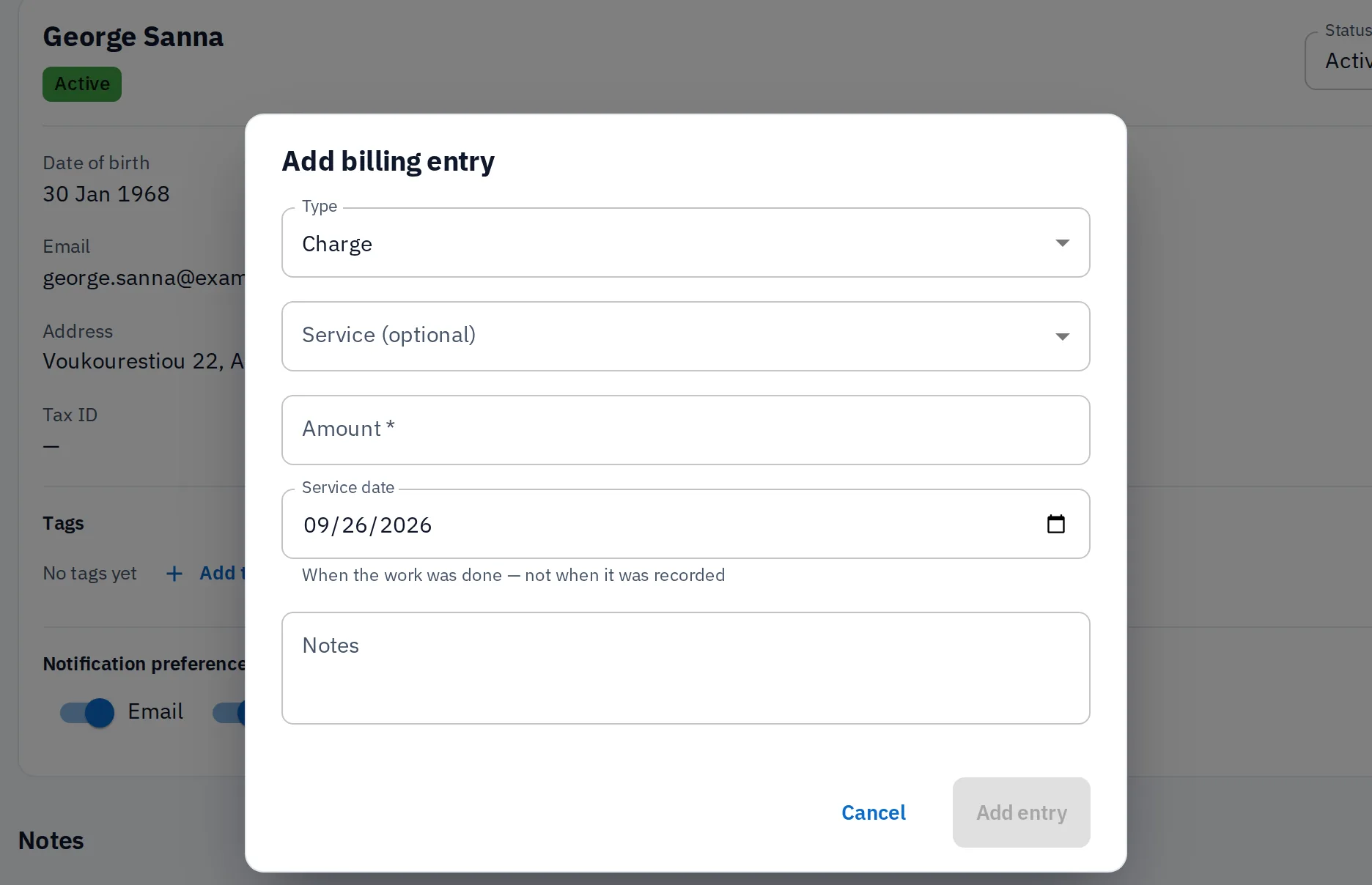
Charges, credits and payments sit against each patient, drawn from a service catalogue with price and duration already set. In the same place, you can charge an appointment, receive a payment and issue a receipt.
From the charge to the receipt
Per patient
Charges, credits and payments on the record
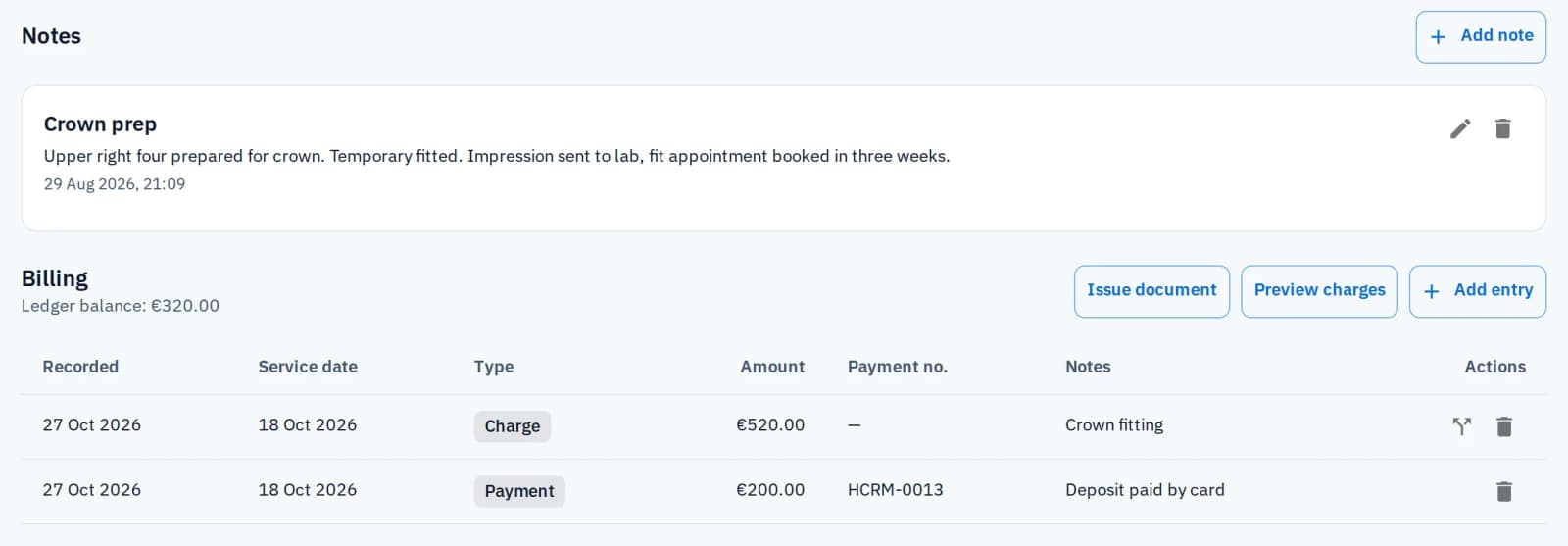
Every entry belongs to a patient and is a charge, a credit or a payment, with its own notes. The patient's balance is the sum of those entries, always on their record.
Each payment gets its own number, in sequence
Charge, take the payment and issue the receipt from one dialog on the calendar
Patients can pay in instalments, with a receipt for each
Service catalogue
Start from a price list, not a blank box
Charges come from a catalogue of services with price and duration, each marked public or internal-only. A new dental practice starts with a dental catalogue already filled in.
See the dental practice page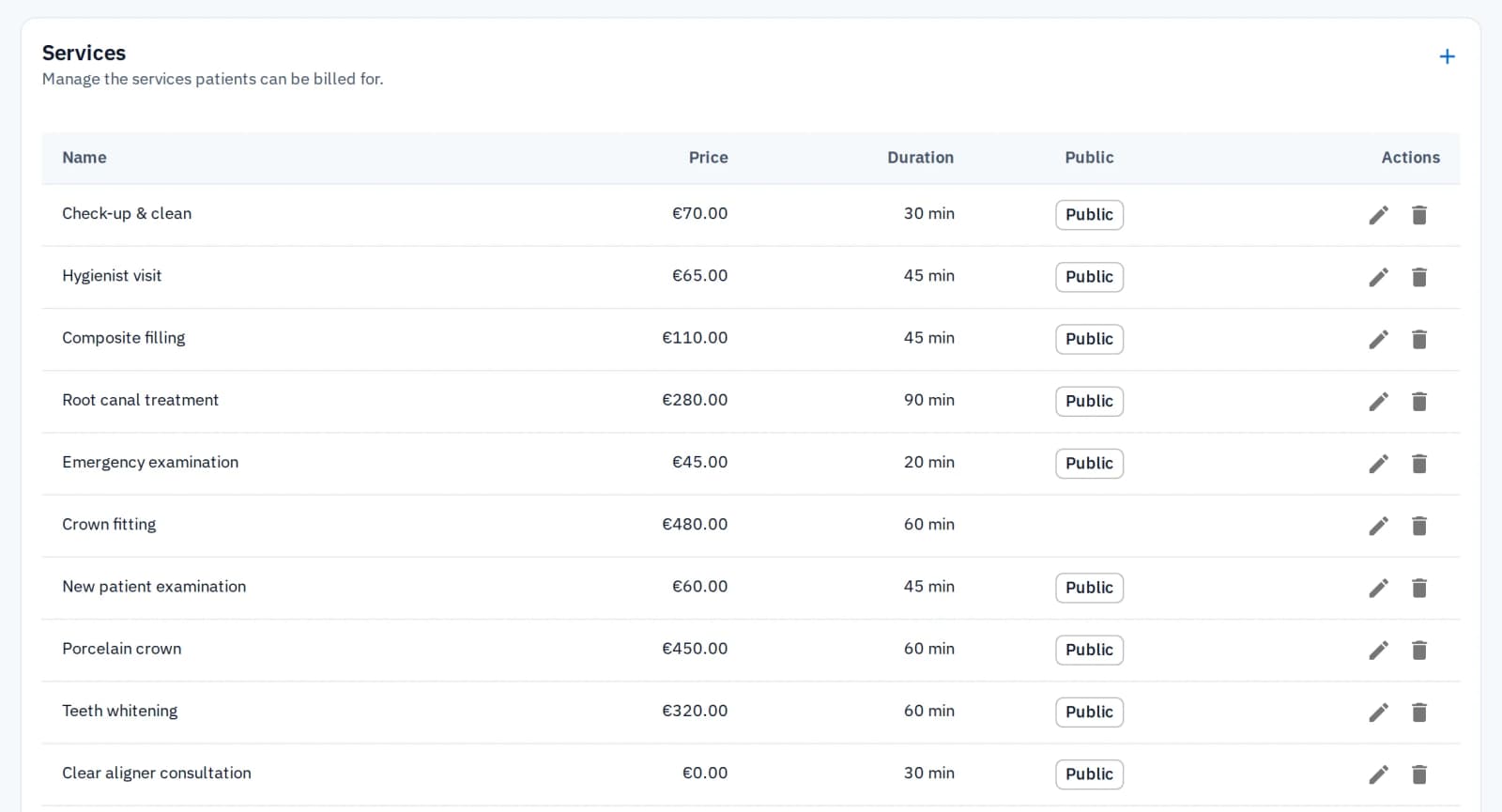
Documents
How to issue a receipt
Issue the document from the patient record. A receipt is the default. A tax invoice is offered when the record has a tax ID, for example for a business or an insurer.
Email it to the patient, or print it
Receipts and tax invoices are numbered in separate sequences
Each keeps both parties' details as they were on the day it was issued
Tax and exports
Tax set once, history never locked in
Set your tax rate once under Receipts and invoices, and every document applies it the same way. A practice that charges no tax can print a short exemption note instead.
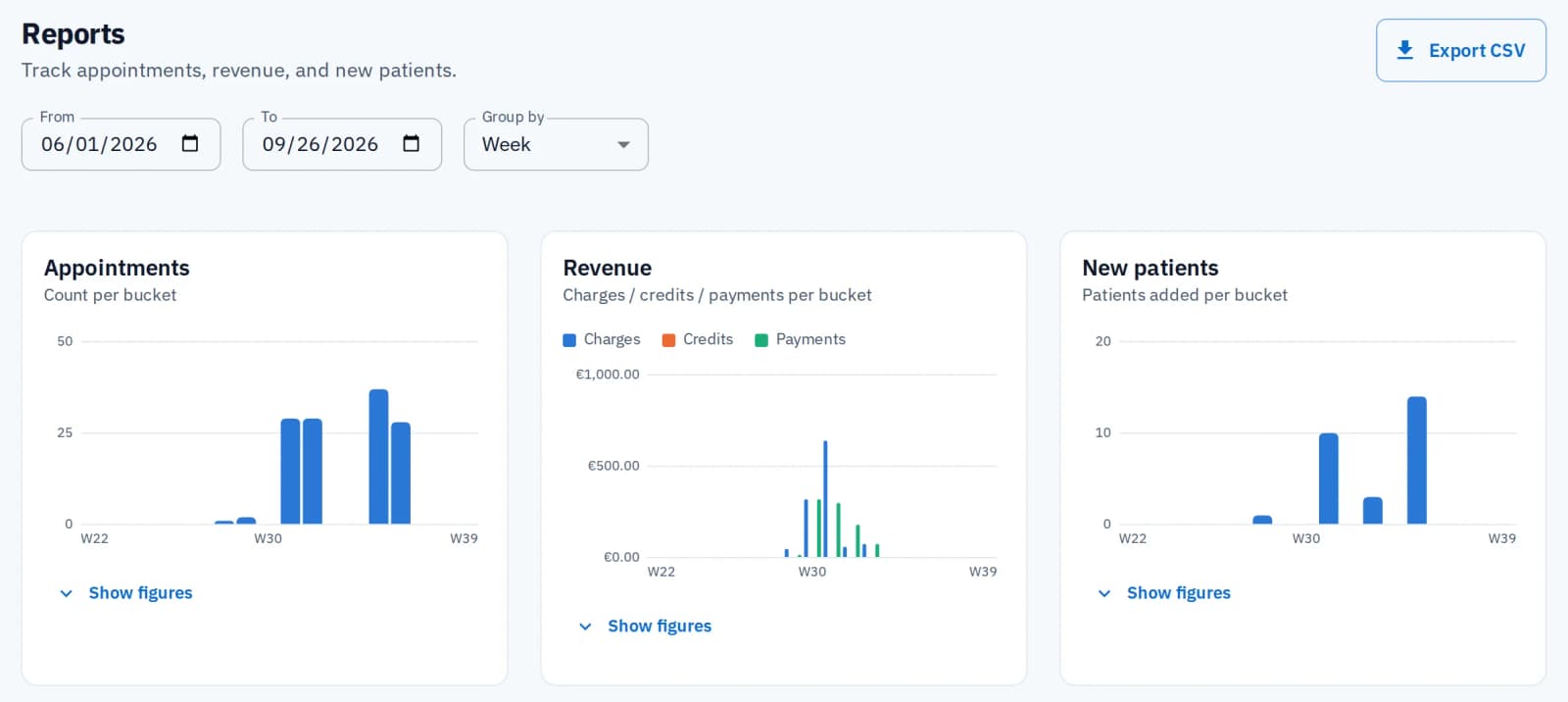
Revenue exports to a spreadsheet from the Reports screen
It does not process payments, submit insurance claims or send documents to a tax authority
Watch: Billing and invoices
Charges, receipts and what is still owed.
Related features
Patient records
Every charge, payment, balance and receipt sits on the patient it belongs to.
Reporting
See charges, credits and payments for any period. Only the practice owner sees reports.
Scheduling
Charge an appointment straight from the calendar.
Common questions
HyperCRM is paid software. Every practice starts with a 30-day free trial of the Complete plan, with no card needed. After that, Essential starts at €19 a month and Complete at €34, VAT included. The price depends on how many practitioners you have. Every price is on the pricing page, so you never need a sales call.
Yes. The practice owner can export the patient list, the reports and the activity log to a spreadsheet file (CSV) from the app, and anyone in the practice can download its files at any time. Your practice data belongs to you, and there is no export fee or waiting period. That holds on either plan, during the trial, and after you cancel.
Yes. In Settings, under Receipts and invoices, a practice sets a tax rate and whether tax is added to documents. That setting applies to every receipt or tax invoice issued afterward, so tax is never worked out by hand. A practice that charges no tax can print a short exemption note instead.
Yes, when the patient's record has a tax ID, for example when a business or an insurer is paying. A receipt stays the default. Each kind has its own numbering, and each document keeps the practice's and the patient's details as they were when it was issued.
No. This is billing your patients from your own service catalogue: charges, credits, payments and receipts. It is separate from what HyperCRM charges your practice for the software.
More in Clinical & back office
Related reading

Practice software in Greece: what to check before you choose
What a practice in Greece should check in its software: the appointment book, online booking, SMS reminders, myDATA receipts and who can see patient data.
Charge the visit, receive the payment, issue the receipt and hit send
See how it works for your practice. Free trial on Complete, no card, no subscription to cancel.
Start the free trial