Import your patients today. We move the rest.
Switching practice software is the part everyone dreads, and the reason clinics stay somewhere they have outgrown. Your patient list comes in from a CSV, and you check every column before a single record is saved. Your appointment history, notes, files, billing and price list we load for you from an export, at no charge, on either plan.
How a move actually goes
Four steps. You can do the first one on your own today, and you keep your current system running throughout.
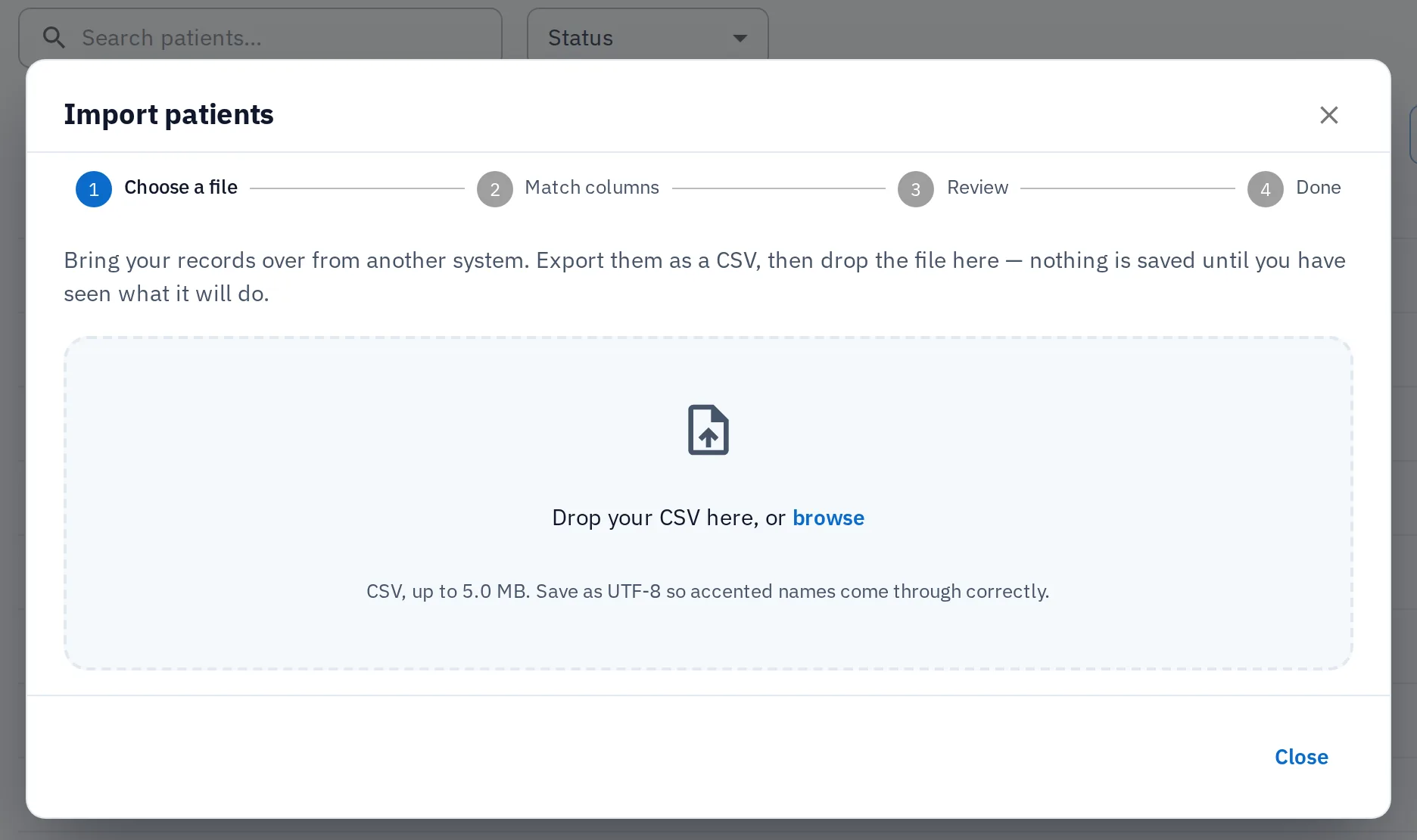
Import your patient list
As the practice owner you can export your patients from your current system as a CSV file and choose Import CSV on your patient list. HyperCRM matches your columns to patient fields and shows you what every row will do. Nothing is saved until you press Import.
Send us the rest
Appointment history, notes, files and billing, in whatever format your system produces: CSV, Excel, a database dump. We write back with what maps onto a HyperCRM record, what does not, and a date. If you cannot get an export out of it, tell us which product it is and we will help you ask for one.
We load it
Your records go in through the same API the application itself runs on, into your own practice, during your trial. Nothing about your current system changes while this happens.
You check it before you commit
Open your own patients, your own history, your own price list, and compare them against the system you are still running. If it is not right, we fix it or you walk away. You have not paid anything at this point.
The terms of the move
What it costs
Free on both plans, for good
The patient import is part of the product and the assisted move costs nothing. This is not an introductory offer: a switching fee is what keeps practices in software they dislike.
No setup, onboarding or per-record fee
No minimum contract attached

Who does the work
Your export is read by the people who wrote the software
You import your patient list, and the importer matches the columns. Everything else we read ourselves, not an onboarding team with a script, so our answer names the parts that will not map. An export holds clinical notes and images, so we agree a secure way to send it before you send anything.
No sales call: show us the export and get a specific answer
While it is with us
Protected while it moves, and after
Records are encrypted in transit and at rest. Files sit in private storage, and only your team can open them. Every change to a record is written to the activity log, so you can see what went in and when.
How records are protected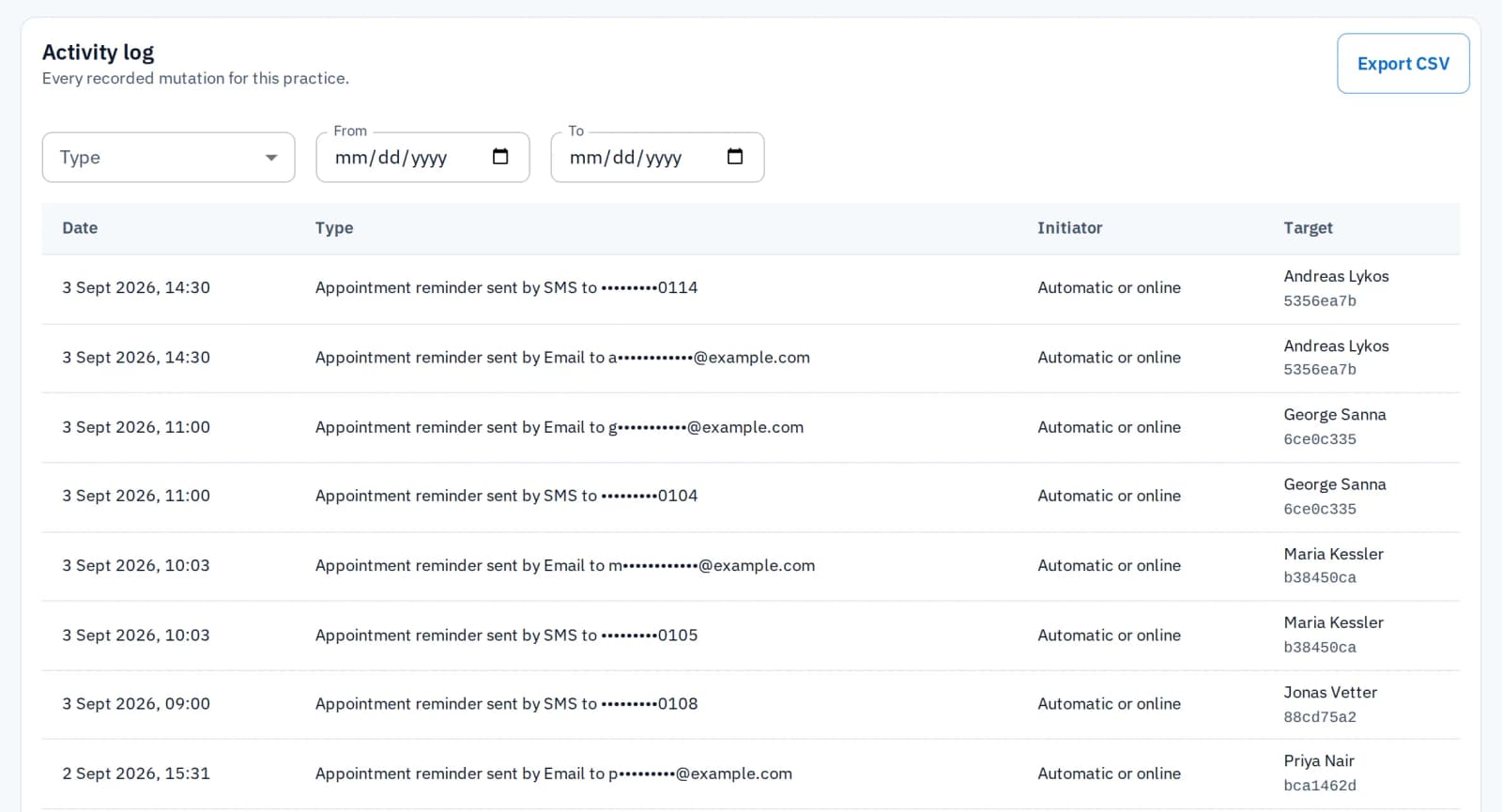
Leaving
Leaving is the same deal
A migration promise from a company that makes leaving hard is worth nothing. So your data comes out free and at once, and cancelling deletes nothing.
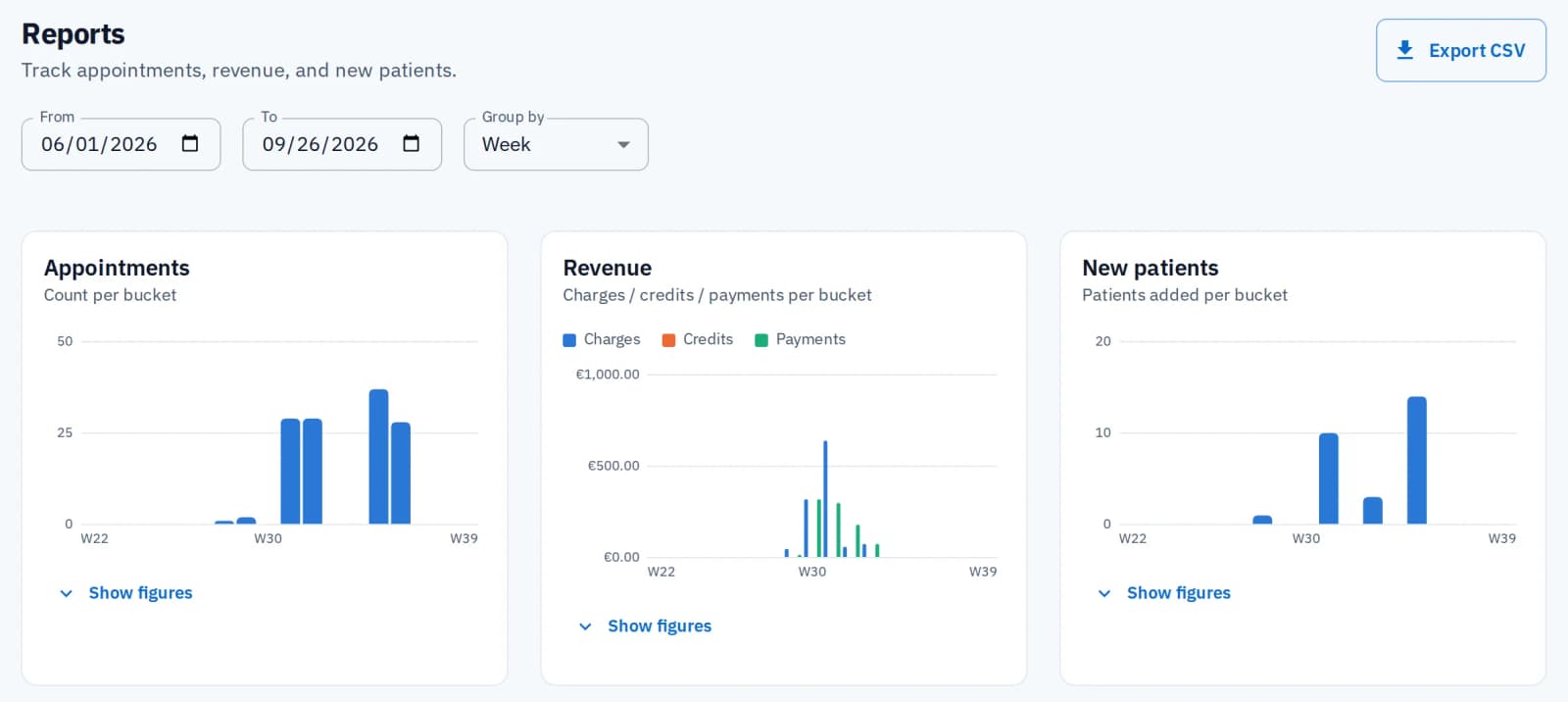
Patient list, reports and activity log to CSV; every file downloads
During the trial, on both plans and after you cancel
After cancelling, your account stays readable and exportable
What comes across
Everything below lands as a real record you can open, search and edit, not an attachment or a note that says what used to be there. Patients you import yourself. The rest we load for you at no charge.
Patients
Names, dates of birth, gender, contact details, address and country, tax details, statuses and reminder preferences, from your own CSV import. Your existing tags and the consent to use a patient's files come across when we move the rest.
Appointment history
Past and future appointments keep their real dates and times, against the right patient and practitioner, so last year's visits read as last year's.
Clinical notes
The text of every note, on the right patient record — with the caveat below about dates, which is worth reading before you move.
Files and imaging
Documents, photos, X-rays and STL scans, attached to the patient they belong to rather than dumped in one folder.
Your price list
Your service catalogue with your own prices and durations, so you are not rebuilding it from a blank page or accepting a generic one.
Billing history
Past charges against the patients they were raised for, so a patient's financial history does not start on the day you switched.
One thing that does not transfer cleanly: note dates
An imported clinical note keeps its full text, on the correct patient, but it is recorded as having been created on the day we load it, by the account that loaded it. HyperCRM has no way to write a note into the past, and we will not fake one. So we write the original date and author into the note itself, where they are readable, and your old system's dated record remains the authoritative one for anything that happened before you switched. If your note history has to stand up in a dispute, keep a read-only export of it — that is true of any migration between any two systems, and anyone who tells you otherwise is selling.
Common questions
HyperCRM is paid software. Every practice starts with a 30-day free trial of the Complete plan, with no card needed. After that, Essential starts at €19 a month and Complete at €34, VAT included. The price depends on how many practitioners you have. Every price is on the pricing page, so you never need a sales call.
Yes, for patients. The practice owner chooses Import CSV on the patient list. HyperCRM matches your columns to patient fields, and you can change any match. Before anything is saved you see how many will be added, updated or skipped. For a patient already on file, you choose: skip it, update the record, or add it anyway. Rows it cannot read come back as a CSV to fix. Appointments, notes, files and billing you send to us.
Your patient import runs while you watch, with a count of rows done. For everything else, we give you a date after reading your export, not before. How long it takes depends entirely on what your current system produces — a spreadsheet of past appointments is not the same job as a database dump with clinical notes spread across four tables — and quoting a number before seeing yours would be a guess dressed up as a commitment.
No. Nothing we do touches it. Load your records into a HyperCRM trial, run both side by side, and switch over when you are satisfied. A quiet week and a clean cutoff date make it easiest.
Tell us which product it is, and we will help you ask for it. Your software provider holds your patients' records on your behalf. GDPR protects both your patients and your practice here. This is common enough to raise with your current provider before you commit to anything.
You are on a free trial with no card on file, running alongside your existing system, and you have checked the result before committing to anything. If it is not right we fix it, and if it cannot be made right you have lost nothing but the time it took to send us a file.
Related reading

Switching practice software without losing your records
How a small practice moves to new software without losing patients, the diary or the notes: what to ask for, what to check, and when to switch over.
Send us an export and find out
A specific answer about your own records, from someone who can read the file.
Talk to us about switching